
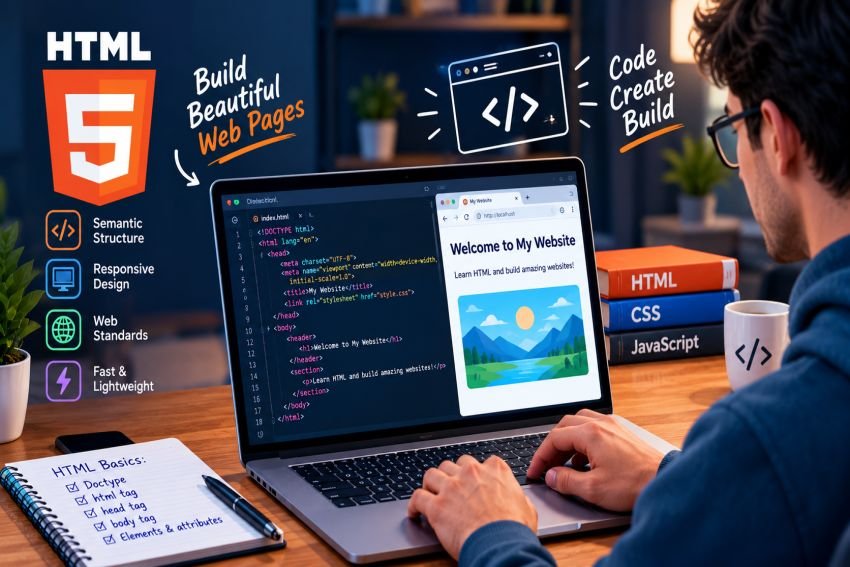
The web changes fast. New frameworks, tools, and AI coding systems appear every year. Yet, HTML in web development remains a core part of how websites work. It gives web pages their structure and tells browsers what each part of a page means.
In 2026, HTML in web development still matters because modern websites need clear structure, accessibility, and reliable browser support. CSS can control the design, and JavaScript can add advanced behavior, but HTML provides the basic document structure that they work with. The WHATWG HTML Standard continues to define HTML as the core markup language of the World Wide Web.
What Is HTML?
HTML stands for HyperText Markup Language. Developers use it to create the structure of web pages.
HTML uses elements to describe content. A heading can use a heading element. A paragraph can use a paragraph element. Links, images, forms, lists, tables, and other content also have their own HTML elements.
For example, a simple page may contain:
- A page title
- Headings
- Paragraphs
- Images
- Navigation links
- Forms
- Lists
- Articles
- Footer information
The browser reads this structure and displays the page for the visitor.
HTML does not control every part of a website. CSS usually handles visual design, while JavaScript handles many interactive features. HTML provides the foundation that connects these parts.
Why HTML Still Matters in 2026
Technology has changed a lot, but HTML has not lost its role. Modern frameworks may generate HTML, but the browser still works with HTML documents and elements.
The current HTML standard continues to evolve as a living standard. The WHATWG describes HTML as the core markup language of the Web.
There are several reasons HTML remains important.
1. HTML Provides Website Structure
Every useful website needs structure.
HTML helps developers organize content into meaningful sections. A page can contain a header, navigation, main content, articles, side content, and a footer.
This structure makes pages easier to understand and maintain.
A developer can also inspect the HTML to understand how different parts of a page fit together.
2. HTML Supports Accessibility
Accessibility is one of the strongest reasons to use HTML correctly.
Semantic HTML uses elements according to their intended purpose. For example, a developer should use a button for a button instead of using a generic div and trying to make it behave like one.
Native HTML elements can provide useful keyboard behavior and accessibility information automatically. MDN recommends using the right HTML element for the right purpose.
Good HTML can also help screen readers understand headings, links, forms, images, and page sections.
This makes a website easier to use for people with different abilities.
3. HTML Works With CSS
HTML and CSS have different jobs.
HTML describes the content and structure. CSS controls the visual appearance.
For example, HTML can identify a heading as a heading. CSS can then change its size, spacing, font, and position.
This separation makes websites easier to manage. Developers can change the design without rebuilding the entire content structure.
4. HTML Works With JavaScript
JavaScript adds behavior to web pages. It can respond to clicks, update content, validate forms, and create complex interfaces.
However, JavaScript still interacts with HTML elements in the page.
For example, JavaScript can detect when a user clicks a button. It can then update an HTML element with new information.
This relationship makes HTML an important part of modern web applications, even when a project uses a JavaScript framework.
Semantic HTML Is More Important Than Ever
Semantic HTML means using elements that clearly describe their purpose.
Common semantic elements include:
<header><nav><main><article><section><aside><footer><button>
These elements give browsers and assistive technologies more information about the page.
For example, a navigation area should use <nav> when appropriate. An independent article can use <article>. The main content can use <main>.
MDN notes that semantic structure can improve accessibility and also make content easier to understand and maintain.
HTML and SEO
HTML also plays a role in search-friendly website structure.
Search engines need to understand the content and organization of a page. Clear headings, descriptive links, meaningful page structure, and useful text can help machines understand the page.
Semantic HTML can also support accessibility, which is another reason developers should build pages with meaningful structure.
However, HTML alone does not guarantee higher search rankings. Good SEO also depends on content quality, technical performance, links, user experience, and many other factors.
The goal should be to create useful pages for people first.
HTML and Accessibility in 2026
Accessibility should not be an afterthought.
Developers can improve accessibility by using proper headings, meaningful link text, form labels, useful image alt text, and native controls.
For example, an informative image should have suitable alternative text. A form input should have a clear label. A button should clearly describe its action.
MDN highlights semantic HTML, alternative text, meaningful links, form labels, and keyboard accessibility as important parts of accessible web development.
These practices can improve the experience for many users, not only people who use assistive technology.
HTML in Modern Web Frameworks
Modern developers often use frameworks and libraries. Examples include React, Vue, Angular, and other tools.
This does not make HTML obsolete.
Frameworks may change how developers create and manage interfaces, but the browser still needs structured content to display a web page.
A developer who understands HTML can often build better components and understand what their framework produces.
HTML knowledge also helps when debugging. If a component does not behave correctly, developers may need to inspect the generated markup.
HTML-First Development
HTML-first development focuses on building a strong document structure before adding unnecessary complexity.
This approach can make a project easier to understand.
Developers can first create meaningful content and controls. They can then add CSS for design and JavaScript for advanced interactions.
This approach also encourages developers to use native browser features before replacing them with custom solutions.
For example, a standard HTML button already supports keyboard interaction. Creating a clickable div may require extra code to achieve similar behavior.
Common HTML Mistakes to Avoid
HTML looks simple, but poor markup can create real problems.
Here are some common mistakes:
Using the Wrong Element
Avoid using generic elements when a suitable semantic element exists.
For example, use a real button for an action instead of turning a div into a fake button.
Poor Heading Structure
Headings should help users understand the page structure.
Do not choose heading levels only because they look good. Use CSS to control appearance and HTML headings to represent document structure.
Missing Image Alt Text
Meaningful images should have useful alternative text when appropriate. Decorative images may need different treatment.
Unclear Link Text
Avoid vague links such as “Click here” when a more descriptive label can explain the destination.
Overusing ARIA
ARIA can help when native HTML does not provide the required semantics. But developers should not use ARIA as a replacement for proper HTML when a native element already exists.
MDN recommends using native semantic HTML where possible and using ARIA to supplement semantics when needed.
Best HTML Practices for 2026
Developers can follow a simple set of practices to create better HTML.
- Use semantic elements.
- Keep the page structure logical.
- Use headings in a meaningful order.
- Write descriptive link text.
- Add appropriate alt text to meaningful images.
- Use native buttons and form controls.
- Label form fields clearly.
- Keep HTML separate from visual styling.
- Test pages with keyboard navigation.
- Check accessibility during development.
- Keep markup clean and readable.
- Validate and review HTML when problems appear.
These practices help create pages that are easier to maintain and use.
HTML vs CSS vs JavaScript
HTML, CSS, and JavaScript work together, but they have different roles.
| Technology | Main Purpose |
|---|---|
| HTML | Structure and meaning |
| CSS | Visual design and layout |
| JavaScript | Behavior and interaction |
Think of a website as a building.
HTML creates the basic structure. CSS handles the appearance. JavaScript adds interactive features.
A modern website may use all three technologies heavily, but each still has its own job.
Is HTML Still Worth Learning in 2026?
Yes. HTML remains a fundamental skill for web developers.
Beginners can use HTML to understand how web pages are structured. Experienced developers can use that knowledge when working with frameworks, accessibility, SEO, and browser behavior.
Learning HTML also creates a strong base for learning CSS and JavaScript.
Even developers who use advanced tools benefit from understanding the markup those tools create.
The Future of HTML
HTML will continue to evolve with the web.
The current HTML Standard remains an active living standard. It continues to document elements, attributes, browser behavior, and other parts of the platform.
The future is unlikely to make HTML disappear. Instead, HTML will continue working alongside CSS, JavaScript, web APIs, frameworks, and new development tools.
AI coding tools may also change how developers write code. However, developers still need to understand the output. Knowing HTML makes it easier to review generated markup, identify mistakes, and improve accessibility.
Conclusion
HTML may be one of the oldest technologies used on the modern web, but it remains highly relevant. HTML in web development provides the structure that browsers, users, search systems, and assistive technologies depend on.
The biggest lesson for 2026 is simple: developers should not treat HTML as outdated or unimportant. Strong semantic structure, accessible controls, meaningful content, and clean markup still form a solid foundation for modern websites. When developers combine HTML with CSS, JavaScript, and modern tools, they can create web experiences that are easier to use, maintain, and understand.
Frequently Asked Questions
What is the role of HTML in web development?
The main role of HTML in web development is to provide the structure and meaning of web content. It defines elements such as headings, paragraphs, links, images, forms, navigation, and page sections.
Is HTML still important in 2026?
Yes. HTML in web development remains important because browsers still use HTML as the core markup layer for web documents. Modern frameworks may change how developers create pages, but HTML remains part of the final web experience.
How does HTML improve accessibility?
HTML in web development can improve accessibility when developers use semantic elements correctly. Native elements can provide useful information and built-in interaction behavior for assistive technologies.
Does HTML help with SEO?
HTML in web development can support SEO by giving content a clear structure. Meaningful headings, descriptive links, and semantic elements help make page content easier to understand. HTML alone, however, does not guarantee better rankings.
Should beginners learn HTML in 2026?
Yes. HTML in web development remains a useful starting point for anyone who wants to learn web development. Understanding HTML makes it easier to learn CSS, JavaScript, frameworks, accessibility, and modern web development practices.