
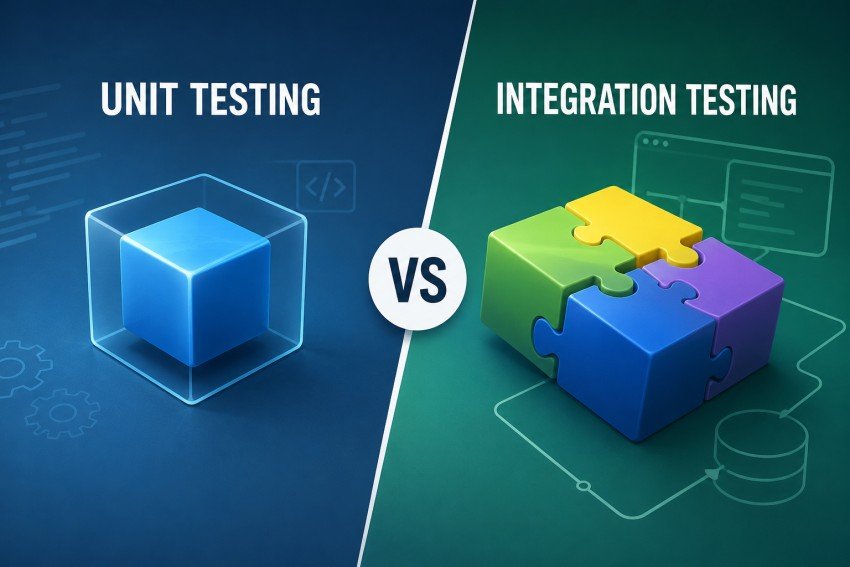
Modern software applications are rarely built as one simple piece of code. A typical application may contain hundreds or thousands of functions, classes, services, APIs, databases, queues, third-party integrations, and user interfaces.
Every one of these parts can work correctly on its own and still fail when connected to another part.
For example, an online store may correctly calculate an order total in one function. The database may also correctly save customer information. The payment service may work correctly on its own. But when the customer clicks “Place Order,” the application could still fail because the checkout service sends the wrong data to the payment API or the database expects a different field.
This is why software teams need different layers of testing.
Unit testing checks small pieces of code in isolation. Integration testing checks whether multiple pieces work correctly together.
Neither one is a replacement for the other.
Unit tests provide fast feedback about individual pieces of logic, while integration tests reveal problems at the boundaries between components. Current guidance from CircleCI and TestRail similarly emphasizes that the two approaches solve different problems and work best together.
This guide explains unit testing vs integration testing in simple terms. It covers their differences, benefits, limitations, tools, real-world examples, testing approaches, CI/CD usage, testing strategy, common mistakes, and best practices for modern software teams.
What Is Unit Testing?
Unit testing is a software testing technique that checks a small, individual part of an application.
A “unit” is normally a small and independently testable piece of code, such as:
- A function
- A method
- A class
- A small module
- A business rule
- A calculation
The main idea is isolation.
A unit test should concentrate on the behavior of the unit being tested rather than depending on a database, network, external API, file system, or another application component.
For example, imagine an application has a function that calculates sales tax.
The function may receive:
- Product price
- Quantity
- Tax rate
The unit test can check whether the function produces the expected total.
It does not need to contact a payment provider or database because those systems are irrelevant to the calculation itself.
This makes unit tests small, focused, and fast.
CircleCI describes unit testing as testing a single function, method, or class in isolation and highlights execution speed as one of its major advantages.
Simple Unit Testing Example
Imagine this application function:
def calculate_total(price, quantity, tax_rate):
    subtotal = price * quantity
    return round(subtotal * (1 + tax_rate), 2)
A unit test could check:
def test_calculate_total():
    result = calculate_total(10, 3, 0.08)
    assert result == 32.40
The test does not:
- Connect to a database
- Call a payment gateway
- Send an HTTP request
- Open a browser
- Contact another service
It simply checks whether the function performs the calculation correctly.
That is the essence of unit testing.
Why Is Unit Testing Important?
Unit testing helps developers find problems close to where they are introduced.
Suppose a developer changes a tax calculation function and accidentally changes the result from $32.40 to $30.40.
A unit test can immediately detect the change.
This is valuable because debugging is generally easier when the test is focused on one small piece of code.
Unit tests can also provide confidence during refactoring.
A developer may completely reorganize the internal code while keeping the expected behavior unchanged. If the unit tests continue to pass, the developer has useful evidence that the tested behavior has not been accidentally broken.
Octopus notes that unit testing supports early defect detection, regression testing, refactoring, and can also serve as documentation of expected software behavior.
Main Characteristics of Good Unit Tests
A useful unit test is generally:
Fast
It should execute quickly because developers may run unit tests many times during development.
Isolated
The test should not depend unnecessarily on external systems.
Repeatable
Running the test multiple times should normally produce the same result.
Deterministic
The result should not randomly change because of network conditions, timing, or external services.
Focused
A good unit test normally checks a specific behavior rather than trying to test an entire workflow.
Easy to Understand
Another developer should be able to understand what behavior the test expects.
Easy to Maintain
When application code changes, the test should be reasonably easy to update.
TestRigor similarly highlights speed, isolation, repeatability, determinism, and focused behavior as important characteristics of effective unit tests.
What Are Mocks, Stubs, and Fakes?
Unit tests often need to interact with dependencies without actually using those dependencies.
This is where test doubles come in.
Mock
A mock simulates an external dependency and can also verify that certain interactions occurred.
For example, a payment service could be mocked to verify that the application attempted to charge the correct amount.
Stub
A stub provides predetermined data to the unit being tested.
For example, instead of calling a real weather API, a stub could return:
Temperature: 25°C
Condition: Sunny
Fake
A fake is a simplified working implementation.
For example, a lightweight in-memory database can be used instead of a production database.
These techniques help keep unit tests isolated.
However, excessive mocking can also become a problem. If every dependency is replaced with a mock, a test may pass even though the real components cannot communicate correctly.
That is one reason integration testing remains necessary.
TestRigor specifically warns that heavy use of mocks can hide real integration behavior that only becomes visible when actual components interact.
What Is Integration Testing?
Integration testing checks whether multiple software components work correctly together.
Instead of asking:
“Does this function work?”
integration testing asks:
“Do these components communicate and behave correctly when they are connected?”
Integration testing can involve:
- Multiple modules
- APIs
- Databases
- Microservices
- Message queues
- Authentication systems
- Payment services
- File storage
- External applications
- Frontend and backend communication
GeeksforGeeks describes integration testing as focusing on interactions and data exchange between different components or modules, especially defects that appear when those components are combined.
Simple Integration Testing Example
Consider an e-commerce application.
A customer places an order.
The following components may be involved:
Customer
   ↓
Web Application
   ↓
Order API
   ↓
Business Logic
   ↓
Database
   ↓
Payment Service
   ↓
Order Confirmation
Every individual component could pass its unit tests.
But integration testing checks whether the entire chain communicates correctly.
For example:
- The API receives the order.
- The backend validates the product.
- The database returns the correct price.
- The order service calculates the total.
- The payment service receives the correct amount.
- The database stores the order.
- The application returns the correct response.
A problem anywhere between these components can cause the integration test to fail.
Why Is Integration Testing Important?
Modern applications depend heavily on communication between systems.
A service might:
- Call another API
- Read from a database
- Publish a message
- Consume a queue message
- Validate authentication
- Upload a file
- Communicate with a payment provider
Unit tests can verify the internal logic of these components, but they cannot fully prove that the interfaces between those components work correctly.
Integration testing helps identify issues such as:
- Incorrect API endpoints
- Wrong request formats
- Incorrect response handling
- Database schema mismatches
- Authentication problems
- Serialization errors
- Incorrect environment variables
- Broken service communication
- Message queue problems
- Configuration errors
TestRail notes that integration testing is especially useful for finding problems involving dependencies, APIs, databases, and real application workflows.
Unit Testing vs Integration Testing: The Core Difference
The simplest difference is:
Unit testing checks individual pieces.
Integration testing checks the connections between pieces.
Think about a car.
A unit test is similar to checking whether the engine starts correctly.
Integration testing is closer to checking whether the engine, transmission, brakes, steering, and electrical systems work together.
Both checks are useful.
A working engine does not prove that the entire car works.
Likewise, passing unit tests does not prove that an entire software system works correctly.
Unit Testing vs Integration Testing Comparison
| Factor | Unit Testing | Integration Testing |
|---|---|---|
| Main focus | Individual unit | Multiple components |
| Scope | Small | Broader |
| Dependencies | Usually isolated | Real or realistic dependencies |
| Speed | Very fast | Usually slower |
| Setup | Minimal | More setup required |
| Debugging | Easier | More difficult |
| Cost | Generally lower | Generally higher |
| Database | Usually mocked/faked | Often real or test database |
| Network | Usually avoided | May be involved |
| API interaction | Usually mocked | Often tested directly |
| Primary purpose | Validate internal logic | Validate interactions |
| Typical owner | Developers | Developers and QA engineers |
| CI/CD stage | Early | Later or alongside other checks |
| Maintenance | Usually simpler | Often more complex |
| Failure scope | Usually narrow | Can involve multiple components |
| Best use | Logic and edge cases | Workflows and interfaces |
These differences are consistent with comparisons from CircleCI, TestRail, PractiTest, Octopus Deploy, and TestRigor.
Unit Testing vs Integration Testing: Scope
Unit Testing
The scope is narrow.
For example:
calculateTax()
or:
validateEmail()
or:
calculateShippingCost()
The test concentrates on one piece of logic.
Integration Testing
The scope is broader.
For example:
Checkout API
     ↓
Order Service
     ↓
Database
     ↓
Payment Service
The test checks the interaction between these components.
Unit Testing vs Integration Testing: Dependencies
Dependencies are one of the most important differences.
A unit test normally attempts to remove or control external dependencies.
For example:
Unit
 ↓
Mock Database
Mock Payment API
Mock Email Service
An integration test intentionally brings components together:
Application
 ↓
Test Database
 ↓
Test API
 ↓
Message Queue
The exact setup depends on the test’s purpose.
Integration testing does not necessarily mean that every external service must be real.
A third-party payment provider, for example, may be replaced with a controlled sandbox or realistic test double.
The important point is that integration tests should verify the interactions that matter.
Unit Testing vs Integration Testing: Speed
Unit tests are normally much faster.
CircleCI describes unit tests as often running in milliseconds, while integration tests can take seconds or longer because they may involve application servers, databases, HTTP calls, or other infrastructure.
A simplified visual comparison looks like this:
TEST EXECUTION COST

Unit Tests
████████████████████████████████████████
Very fast

Integration Tests
██████████████████
Slower

End-to-End Tests
████████
Slowest / most resource-intensive
This is a conceptual comparison, not a universal timing measurement. Actual execution time depends on the application, framework, infrastructure, test count, parallelization, and environment.
Unit Testing vs Integration Testing: Debugging
Debugging is another major difference.
Imagine a unit test fails:
test_calculate_discount()
The likely problem is somewhere inside the discount logic.
That gives the developer a relatively narrow search area.
Now imagine an integration test fails:
test_checkout_payment()
Possible causes could include:
- Frontend request
- API route
- Authentication
- Business logic
- Database
- Payment API
- Environment configuration
- Network
- Test data
The failure can therefore require more investigation.
This does not make integration tests less valuable.
It simply means they answer a broader question.
Unit Testing vs Integration Testing: Cost
Unit tests are generally cheaper to execute because they require less infrastructure.
Integration tests can require:
- Databases
- Containers
- Servers
- Test environments
- Network access
- Test data
- External service substitutes
- Additional CI/CD resources
They can also require more maintenance.
However, the higher cost does not mean integration testing is wasteful.
A single integration test can catch a problem that hundreds of isolated unit tests may never see.
The correct goal is not:
“Use the cheapest tests.”
The goal is:
“Use the right test at the right level.”
Real-World Example: Login System
Consider a login system.
Unit Tests
A developer might test:
- Empty username
- Invalid email
- Password length
- Password validation
- Account status logic
- Authentication rules
These tests can run without a real database.
Integration Tests
The team could test:
Login Request
      ↓
Authentication API
      ↓
User Service
      ↓
Database
      ↓
Password Verification
      ↓
Token Generation
      ↓
API Response
This could reveal:
- Wrong database column
- Broken authentication configuration
- Incorrect token handling
- API response mismatch
- Database connection problem
Both levels are useful.
Real-World Example: E-Commerce Checkout
Checkout is an excellent example of why both types of tests are required.
Unit Tests
You might test:
- Product price calculation
- Discount calculation
- Tax calculation
- Shipping calculation
- Coupon validation
- Inventory rules
For example:
Price = $100
Discount = 10%
Tax = 8%

Expected Total = $97.20
The calculation can be tested independently.
Integration Test
Now test:
Cart
 ↓
Checkout API
 ↓
Order Service
 ↓
Inventory Database
 ↓
Payment Service
 ↓
Order Database
 ↓
Confirmation
This can catch problems such as:
- Inventory not updated
- Payment amount incorrect
- Order not saved
- API field mismatch
- Transaction failure
- Incorrect status returned
Real-World Example: Banking Application
A banking system contains many components.
Unit testing could verify:
- Interest calculations
- Transaction limits
- Account validation
- Currency conversion
- Fee calculations
Integration testing could verify:
Banking API
 ↓
Authentication
 ↓
Account Service
 ↓
Transaction Service
 ↓
Database
 ↓
Fraud Service
 ↓
Notification Service
A unit test can prove that a transaction limit function works.
An integration test can verify that a real transaction request correctly moves through the necessary services.
For financial applications, both levels are particularly important because small logic errors and integration failures can have significant consequences.
Real-World Example: Healthcare Application
Imagine a healthcare scheduling system.
Unit tests could verify:
- Appointment validation
- Time calculations
- Patient eligibility rules
- Duplicate booking logic
Integration tests could verify:
Patient Portal
 ↓
Appointment API
 ↓
Scheduling Service
 ↓
Patient Database
 ↓
Calendar Integration
 ↓
Notification Service
The unit tests can prove that individual rules work.
The integration tests can verify that the booking system communicates correctly with calendars, databases, and notifications.
Unit Testing Tools
The best unit testing tool depends on the programming language.
Python
Popular options include:
- pytest
- unittest
Java
Common frameworks include:
- JUnit
- TestNG
JavaScript and TypeScript
Common choices include:
- Jest
- Vitest
- Mocha
C#
Common frameworks include:
- NUnit
- xUnit
Ruby
A widely used framework is:
- RSpec
CircleCI and TestRigor both identify these types of language-specific frameworks among common unit-testing options.
Integration Testing Tools
Integration testing requires tools that can interact with services, databases, APIs, and other dependencies.
Popular options include:
Testcontainers
Testcontainers allows teams to run dependencies such as databases and message brokers in disposable containers for tests.
This can make integration environments more consistent.
Postman and Newman
Useful for API testing and automated API collections.
Supertest
Commonly used for testing HTTP APIs in Node.js applications.
Spring Boot Test
Useful for testing Spring-based Java applications and their integrated components.
pytest
Python teams can combine pytest with test databases and application fixtures.
REST Assured
Commonly used for testing REST APIs in Java environments.
CircleCI and TestRigor identify Testcontainers, Supertest, Spring Boot Test, Postman/Newman, and other tools as useful options for integration testing.
Unit Testing Framework vs Test Management Tool
It is important to understand that these are not the same thing.
A framework such as:
- JUnit
- pytest
- Jest
is used to write and execute tests.
A test management platform can be used to:
- Organize test cases
- Track results
- Report testing status
- Manage manual testing
- Connect automated results
- Improve visibility
TestRail, for example, is a test management platform rather than a unit-testing framework. Its 2026 article discusses bringing automated results into a broader QA workflow.
This distinction prevents a common misunderstanding when comparing testing tools.
Unit Testing and Integration Testing in the Testing Pyramid
The testing pyramid is a useful way to visualize a balanced test strategy.
                 / \
                /   \
               / E2E \
              /------ \
             /         \
            /INTEGRATION\
           /------------ \
          /               \
         /  UNIT TESTS     \
        /-------------------\
The general idea is:
- Many fast unit tests
- A smaller number of integration tests
- Fewer expensive end-to-end tests
CircleCI’s current testing-pyramid guidance similarly places unit tests at the base, integration tests in the middle, and end-to-end tests at the top.
However, teams should not treat a specific percentage such as 70/20/10 as a universal law.
The ideal distribution depends on:
- Application architecture
- Risk
- Business requirements
- Development speed
- Number of services
- Deployment frequency
- Test execution cost
- Reliability requirements
A payment system may need more integration coverage than a small utility library.
Unit Tests Should Be Numerous, But Not Meaningless
One common mistake is trying to increase unit-test coverage simply to produce a high percentage.
For example, developers might create trivial tests just to increase coverage.
That can create a false sense of security.
Imagine a project reports:
95% code coverage
That sounds impressive.
But if the tests only verify simple lines of code and never test important service interactions, the application may still fail in production.
Coverage is useful, but it is not the same thing as quality.
A better question is:
“Are our tests covering the behaviors and risks that matter?”
Octopus specifically discusses the danger of relying exclusively on integration tests and explains why unit tests remain useful for fast feedback and detailed edge-case coverage.
Integration Testing Approaches
Integration testing can be performed using different strategies.
The two broad approaches are:
- Big Bang Integration Testing
- Incremental Integration Testing
Incremental integration can further include:
- Top-down
- Bottom-up
Big Bang Integration Testing
In the Big Bang approach, multiple components are combined and tested together.
For example:
Module A ─┐
Module B ─┤
Module C ─┼──> Integrated System
Module D ─┤
Module E ─┘
Advantages
- Simple concept
- Useful for smaller systems
- Can test many interactions together
Disadvantages
- Difficult to identify the source of failures
- Large setup
- Debugging can be difficult
- Problems may appear late
Big Bang integration can be useful in some situations, but it becomes difficult to manage as systems grow.
Incremental Integration Testing
Incremental integration introduces components gradually.
For example:
Step 1
A + B

Step 2
A + B + C

Step 3
A + B + C + D

Step 4
A + B + C + D + E
This makes it easier to identify where a failure was introduced.
CircleCI notes that teams commonly favor incremental approaches because they can make failures easier to isolate.
Top-Down Integration Testing
Top-down integration starts with higher-level components and gradually introduces lower-level components.
When a lower-level component is not ready, a stub may temporarily represent it.
For example:
User Interface
      ↓
Business Service
      ↓
     Stub
Later, the actual lower-level service replaces the stub.
Bottom-Up Integration Testing
Bottom-up integration starts with lower-level components and gradually works toward higher-level components.
A driver may be used to simulate the higher-level component.
For example:
Database
   ↓
Repository
   ↓
Service
   ↓
Driver
As development continues, the real higher-level components replace the temporary drivers.
GeeksforGeeks and CircleCI both describe incremental integration strategies such as top-down and bottom-up, alongside Big Bang integration.
Unit Testing vs Integration Testing in CI/CD
CI/CD is one of the most important places where the difference between these tests becomes practical.
A good pipeline should provide fast feedback while still validating important system interactions.
A simplified pipeline can look like this:
Developer
    ↓
Pull Request
    ↓
Unit Tests
    ↓
Build
    ↓
Integration Tests
    ↓
Security / Quality Checks
    ↓
Deployment
    ↓
End-to-End / Smoke Tests
    ↓
Production
Unit tests can run early because they are fast.
Integration tests can run after the required application components and dependencies are available.
TestRail’s 2026 guidance similarly describes unit tests as commonly running early after code changes, while integration tests are often executed later against a test or staging environment.
How Often Should Unit Tests Run?
Unit tests are generally suitable for frequent execution.
A team can run them:
- During local development
- Before committing code
- On pull requests
- On every CI build
- Before merging
- During deployment pipelines
Because they are fast, frequent execution is practical.
How Often Should Integration Tests Run?
Integration tests can also run frequently, but their execution strategy may depend on cost and environment.
They can run:
- On pull requests
- After important builds
- Before deployment
- In staging
- Nightly
- On scheduled pipelines
- Before major releases
There is no single schedule that works for every team.
A small API service may be able to run hundreds of integration tests on every pull request.
A large distributed system may need to divide its integration suite into fast and slow groups.
Unit Testing vs Integration Testing for Microservices
Microservices make integration testing especially important.
Imagine:
User Service
     ↓
Order Service
     ↓
Payment Service
     ↓
Notification Service
Each service can have excellent unit coverage.
But that does not guarantee that:
- APIs use compatible schemas
- Authentication works
- Messages have correct formats
- Services use the correct endpoints
- Timeouts are handled
- Retry logic works
- Database interactions are correct
Integration tests can validate these boundaries.
TestRigor specifically highlights API communication, microservices, database interactions, and frontend/backend communication as important integration-testing scenarios.
Contract Testing and Integration Testing
For service-based architectures, teams may also use contract testing.
A contract defines what one service expects from another.
For example:
Order Service expects:

POST /payment

{
  "amount": 100,
  "currency": "USD"
}
If the payment service changes the contract unexpectedly, another service could break.
Contract tests help detect these compatibility problems earlier.
They do not eliminate the need for integration testing, but they can reduce some integration risks in distributed systems.
Unit Testing vs Integration Testing for APIs
API-heavy applications benefit from both approaches.
Unit Test
Test the internal API business logic without starting the full application stack.
Integration Test
Send a real HTTP request to a test API environment and verify:
- Status code
- Request validation
- Authentication
- Database interaction
- Response format
- Error handling
For example:
POST /orders

Request
{
  "product_id": 100,
  "quantity": 2
}

Expected:
201 Created
An integration test can then verify that the order actually exists in the test database.
Database Testing
Database behavior is another important reason to combine testing levels.
Unit Test
A repository dependency might be mocked.
The goal is to test the business logic.
Integration Test
A real test database can be used.
The test can verify:
- SQL queries
- Schema compatibility
- Constraints
- Transactions
- Data persistence
- Relationships
- Migrations
Tools such as Testcontainers can help teams run disposable database environments for integration tests. CircleCI identifies Testcontainers as a common option for testing real dependencies such as databases and message brokers.
Unit Testing vs Integration Testing: Advantages
Benefits of Unit Testing
1. Fast Feedback
Developers can receive results quickly.
2. Early Bug Detection
Problems can be discovered before they spread to other components.
3. Easy Debugging
A failed unit test usually points toward a relatively small area of code.
4. Supports Refactoring
Tests can provide confidence while code is reorganized.
5. Encourages Modular Code
Highly coupled code can be difficult to unit test, so testing can encourage better design.
6. Supports TDD
Unit tests are central to Test-Driven Development.
7. Useful Regression Protection
Previously working behavior can be checked automatically after changes.
8. Low Infrastructure Requirements
Many unit tests require no external services.
Limitations of Unit Testing
Unit tests have limitations too.
They may not detect:
- API configuration problems
- Database schema mismatches
- Network failures
- Authentication integration issues
- Serialization problems
- Incorrect service contracts
- Environment configuration errors
A project can therefore have excellent unit coverage and still have serious integration problems.
TestRigor explicitly points out that unit tests cannot provide the whole picture because they intentionally isolate components from external systems.
Benefits of Integration Testing
1. Tests Real Interactions
Integration testing verifies that components communicate correctly.
2. Finds Interface Problems
It can catch incompatible data formats and incorrect API contracts.
3. Tests Databases
Real database behavior can be validated.
4. Validates Service Communication
This is especially important in microservices.
5. Finds Configuration Problems
Incorrect settings may only become visible when systems interact.
6. Increases Confidence
Integration tests can provide stronger evidence that multiple components work together.
7. Protects Critical Workflows
Important workflows such as checkout, authentication, and payment can be tested across boundaries.
Limitations of Integration Testing
Integration tests also have weaknesses.
Slower Execution
They usually require more infrastructure.
More Complex Setup
Test environments may need databases, containers, APIs, credentials, and test data.
Harder Debugging
A failure can involve several components.
Maintenance
Changes to APIs, schemas, services, or infrastructure can require test updates.
Flakiness
Timing, network conditions, shared resources, and unstable dependencies can create unreliable results.
CircleCI notes that flaky tests can reduce confidence and waste development time, while TestRigor highlights environmental and timing-related risks with integration tests.
Common Unit Testing Mistakes
Mistake 1: Testing Too Many Things in One Unit Test
A test should have a clear purpose.
Bad:
Test login + database + email + payment + reporting
Better:
Test password validation
Then use integration tests for the broader workflow.
Mistake 2: Excessive Mocking
Mocking every dependency can make tests unrealistic.
The test may pass while the actual database or API interaction fails.
Use mocks when isolation is the goal, not simply because mocking is convenient.
Mistake 3: Testing Implementation Instead of Behavior
Tests should generally focus on meaningful behavior.
If tests are tightly connected to internal implementation details, simple refactoring can cause large numbers of unnecessary test failures.
Mistake 4: Chasing 100% Coverage at Any Cost
High coverage does not automatically mean high quality.
A better goal is meaningful coverage of important behavior and risk.
Mistake 5: Ignoring Edge Cases
Important unit tests should consider cases such as:
- Empty input
- Null values
- Boundary values
- Invalid data
- Large numbers
- Duplicate values
- Unexpected states
Common Integration Testing Mistakes
Mistake 1: Testing Everything Through End-to-End Tests
Not every behavior needs a full workflow.
Use unit tests for small logic and integration tests for important boundaries.
Reserve full end-to-end testing for high-value user journeys.
Mistake 2: Using Unstable External Services
Depending directly on an unreliable third-party service can make tests flaky.
Use:
- Sandboxes
- Controlled test environments
- Service virtualization
- Test doubles
where appropriate.
Mistake 3: Shared Test Data
When many tests modify the same database records, one test can affect another.
Use isolated or carefully managed test data.
Mistake 4: Ignoring Cleanup
Tests that create database records, files, messages, or other resources should clean them up where appropriate.
Mistake 5: Making Every Integration Test Huge
Large integration tests are difficult to debug.
Keep them focused on important interactions.
TestRail’s testing guidance recommends focusing on key system interactions, testing in smaller groups, automating important checks, and integrating tests into CI/CD.
Best Practices for Unit Testing
1. Keep Tests Small
A unit test should generally have one clear purpose.
2. Keep Tests Independent
One test should not depend on another test’s result.
3. Use Descriptive Names
Instead of:
test_1()
use:
test_discount_is_rejected_when_coupon_is_expired()
4. Test Positive and Negative Cases
Do not only test what should work.
Also test what should fail.
5. Avoid Unnecessary Dependencies
Use mocks, stubs, or fakes where isolation is appropriate.
6. Run Tests Frequently
The earlier a defect is detected, the easier it is to investigate.
7. Maintain Tests With Code
When behavior changes, update the tests.
8. Avoid Brittle Tests
Tests should not fail simply because irrelevant implementation details changed.
9. Use Unit Tests for Business Logic
Complex calculations and rules are excellent candidates.
10. Use Tests as Living Documentation
Well-written tests can show developers how a component is expected to behave.
Best Practices for Integration Testing
1. Focus on Critical Interactions
You do not need to test every possible connection equally.
Prioritize high-risk boundaries.
2. Use Realistic Dependencies
When practical, test against real databases, APIs, queues, or containers.
3. Isolate the Test Environment
Tests should not accidentally damage development or production data.
4. Keep Integration Tests Focused
Each test should have a clear purpose.
5. Automate Them
Automated integration tests provide repeatable feedback.
6. Run Them in CI/CD
Important integration tests should be part of the delivery process.
7. Control External Services
Use sandboxes, mocks, fakes, or service virtualization when real third-party systems are inappropriate.
8. Test Failure Scenarios
Do not test only successful communication.
Also test:
- Timeouts
- Invalid responses
- Authentication failures
- Missing records
- Duplicate requests
- Service errors
9. Monitor Flakiness
A test that randomly passes and fails is not providing reliable information.
10. Clean Test Data
Make sure tests do not interfere with one another.
Unit Testing and Integration Testing Best Practices Together
The strongest approach is not:
Unit testing OR integration testing.
It is:
Unit testing AND integration testing.
A practical strategy is:
1. Test individual logic
        ↓
2. Test important interactions
        ↓
3. Test critical user workflows
        ↓
4. Run tests automatically
        ↓
5. Monitor failures
        ↓
6. Improve coverage based on risk
This provides multiple layers of protection.
A Practical Testing Strategy for a New Feature
Suppose your team adds a new checkout feature.
Step 1: Write Unit Tests
Test:
- Price calculation
- Discount rules
- Tax calculation
- Inventory rules
Step 2: Add Integration Tests
Test:
- Checkout API
- Database
- Payment service
- Inventory service
Step 3: Add Critical E2E Test
Test:
Customer
 ↓
Add Product
 ↓
Cart
 ↓
Checkout
 ↓
Payment
 ↓
Confirmation
Step 4: Run Automatically
The CI/CD system runs the appropriate tests.
Step 5: Analyze Failures
Use logs and test results to determine whether the problem is:
- Code
- Data
- Configuration
- Environment
- Dependency
This layered approach is more effective than trying to force one testing method to cover everything.
What Should You Test With Unit Tests?
Use unit tests when the question is:
“Does this piece of logic work correctly?”
Good examples include:
- Calculations
- Validation rules
- Formatting
- Business rules
- Data transformations
- Algorithms
- Conditional logic
- Error handling
- Utility functions
What Should You Test With Integration Tests?
Use integration tests when the question is:
“Do these components work correctly together?”
Good examples include:
- API + database
- Service + service
- Backend + database
- Authentication + user service
- Order service + payment service
- Message producer + message consumer
- Application + external API
- Frontend + backend API
Unit Testing vs Integration Testing: Decision Guide
| Situation | Better Starting Point |
|---|---|
| Testing a calculation | Unit test |
| Testing a validation rule | Unit test |
| Testing a single method | Unit test |
| Testing edge cases | Unit test |
| Refactoring code | Unit test |
| Testing API + database | Integration test |
| Testing two services | Integration test |
| Testing database schema interaction | Integration test |
| Testing message queues | Integration test |
| Testing third-party integration | Integration test |
| Testing complete customer journey | E2E test |
| Testing user interface behavior | E2E/component test |
The key is not to ask which testing type is “better.”
Ask which question the test needs to answer.
Unit Testing vs Integration Testing in Agile Development
Agile development encourages teams to obtain feedback frequently.
Unit tests fit naturally into this model because they can run quickly during development.
Integration tests add another layer of confidence when components are connected.
A typical workflow may look like:
Developer writes code
        ↓
Unit tests
        ↓
Pull request
        ↓
Integration tests
        ↓
Code review
        ↓
Build
        ↓
Deployment
        ↓
E2E / smoke tests
This means quality is not left until the end of the project.
Testing becomes part of development itself.
Unit Testing and Test-Driven Development
Unit testing is closely associated with Test-Driven Development (TDD).
The basic TDD cycle is:
RED
 ↓
Write a failing test

GREEN
 ↓
Write enough code to pass

REFACTOR
 ↓
Improve the implementation
Then the cycle repeats.
TDD can encourage developers to think about expected behavior before implementation.
CircleCI and Octopus both discuss the relationship between unit testing and TDD.
TDD is not mandatory for every project, but unit tests provide a strong foundation for it.
Unit Testing and AI in 2026
AI is becoming another part of modern testing workflows.
AI-assisted tools can help developers:
- Generate initial test cases
- Suggest edge cases
- Create test code
- Analyze failures
- Generate test data
- Identify possible missing scenarios
- Help maintain tests
CircleCI’s 2026 coverage discusses AI-generated tests and emerging autonomous testing agents that can help with test setup, execution, analysis, and maintenance.
However, AI-generated tests should not automatically be trusted.
An AI system may generate a test that:
- Tests the wrong behavior
- Duplicates existing coverage
- Assumes incorrect requirements
- Validates implementation instead of behavior
- Misses important business risks
Human review remains important.
A good approach is:
AI suggests
     ↓
Developer reviews
     ↓
Team validates
     ↓
Test enters CI/CD
     ↓
Results are monitored
AI should increase testing productivity, not remove engineering judgment.
Updated Testing Considerations for 2026
Modern software architecture is changing how teams think about integration testing.
Applications increasingly rely on:
- Microservices
- APIs
- Cloud infrastructure
- Event-driven systems
- Message queues
- Third-party SaaS services
- Containers
- Distributed databases
- Serverless functions
- AI services
As the number of dependencies increases, integration boundaries become increasingly important.
At the same time, AI-assisted development can generate code quickly, which makes automated validation even more important.
This does not mean every project needs more tests everywhere.
It means teams should understand where their highest risks exist.
A Better Way to Think About Test Coverage
Instead of asking:
“Do we have 90% coverage?”
ask:
“Are our most important behaviors protected?”
For example:
Feature A
Unit coverage: High
Integration coverage: Low
Business risk: High

Feature B
Unit coverage: Medium
Integration coverage: High
Business risk: Low
Feature A may deserve more integration testing even though its unit coverage looks excellent.
This is why risk-based testing can be more useful than simply chasing a coverage percentage.
Unit Testing vs Integration Testing: A Risk-Based Model
A practical model is:
LOW RISK
   ↓
Unit Tests

MEDIUM RISK
   ↓
Integration Tests

HIGH-VALUE USER JOURNEY
   ↓
End-to-End Tests
But these levels can overlap.
A high-risk business rule may need extensive unit tests.
A critical payment integration may need multiple integration tests.
A major customer journey may need a small number of reliable E2E tests.
The goal is intelligent coverage, not simply more coverage.
How to Reduce Integration Test Flakiness
Flaky tests are especially dangerous because they weaken trust in automation.
If a test sometimes passes and sometimes fails without code changes, developers may start ignoring failures.
To reduce flakiness:
Use Stable Test Data
Do not rely on unpredictable shared records.
Control Time
Avoid tests that depend on exact timing where possible.
Control External Services
Use reliable test environments or controlled substitutes.
Isolate Tests
One test should not unexpectedly affect another.
Use Containers
Containerized dependencies can make environments more consistent.
Avoid Unnecessary Network Calls
Do not call external systems unless the integration itself is what you are testing.
Retry Carefully
Blind retries can hide real problems.
A better solution is to understand why the test is unstable.
CircleCI identifies concurrency, external resources, timing, and resource contention among causes of flaky tests.
How to Make Unit Tests More Valuable
Good unit tests are not simply numerous.
They should test meaningful behavior.
For example, instead of writing:
test_variable_exists()
test_function_runs()
focus on behavior:
test_expired_coupon_is_rejected()
test_customer_gets_free_shipping_above_threshold()
test_invalid_email_is_rejected()
test_tax_is_calculated_correctly_for_zero_value()
These tests provide more useful information.
How to Make Integration Tests More Valuable
Integration tests should target boundaries where failures are likely or costly.
For example:
API ↔ Database
API ↔ Authentication
Service A ↔ Service B
Order ↔ Payment
Application ↔ Message Queue
Application ↔ External API
These interactions often deserve more attention than simply testing every possible combination.
Can Unit Testing Replace Integration Testing?
No.
Unit tests cannot fully verify interactions between components.
A unit test might prove:
Payment amount = $100
But only an integration test may prove:
Checkout
   ↓
Payment API
   ↓
Payment Response
   ↓
Order Database
works correctly.
Therefore, relying only on unit tests creates blind spots.
Can Integration Testing Replace Unit Testing?
Also no.
Imagine a large system with thousands of possible business rules.
Testing every combination through integration tests would be slow and expensive.
Unit tests can quickly cover many edge cases.
They also make debugging easier.
Octopus specifically explains why integration-only strategies can miss detailed corner cases and become slower and harder to diagnose.
Do Unit and Integration Tests Need to Be Written by Different Teams?
Not necessarily.
Historically, developers often wrote unit tests while QA teams handled broader testing.
Modern Agile and DevOps practices have blurred this boundary.
Developers may write:
- Unit tests
- Integration tests
- API tests
- Component tests
QA engineers may also contribute to:
- Integration testing
- Automation
- Test strategy
- CI/CD quality gates
- End-to-end testing
The exact responsibility depends on the organization.
PractiTest notes that unit testing has traditionally been associated with developers, while modern Agile and DevOps practices increasingly bring quality responsibilities across the broader team.
Unit Testing vs Integration Testing: Maintenance
Maintenance is an important consideration that is sometimes overlooked.
Unit tests are generally easier to maintain because they have fewer dependencies.
Integration tests can require updates when:
- API contracts change
- Database schemas change
- Services move
- Authentication changes
- Test environments change
- Dependencies are upgraded
However, integration tests are still worth maintaining when they protect critical interactions.
The answer is not to eliminate difficult tests.
The answer is to make sure difficult tests provide enough value to justify their maintenance cost.
What Does a Good Test Suite Look Like?
A healthy test suite may contain:
                 E2E
              ███████
           Integration
         █████████████
             Unit
████████████████████████
But the exact shape should be adapted to the application.
For example:
Small library
It may need mostly unit tests.
REST API
It may need many unit tests plus strong API integration tests.
Microservices platform
It may require unit tests, service integration tests, contract tests, and selected E2E tests.
Financial application
It may require extensive testing at multiple layers because of business and compliance risks.
There is no universal test distribution that is correct for every project.
A Practical 2026 Test Strategy
For a modern web application, a reasonable starting strategy could be:
Layer 1: Unit Tests
Test:
- Business logic
- Calculations
- Validation
- Data transformations
Layer 2: Integration Tests
Test:
- API + database
- Service + service
- Authentication
- Message queues
- Critical external integrations
Layer 3: E2E Tests
Test:
- Login
- Checkout
- Payment
- Critical workflows
Layer 4: Production Monitoring
Testing does not end at deployment.
Use:
- Logs
- Metrics
- Alerts
- Tracing
- Error monitoring
This gives the team visibility into actual runtime behavior.
Unit Testing vs Integration Testing: Final Comparison
| Question | Unit Testing | Integration Testing |
|---|---|---|
| What does it test? | Individual code unit | Interaction between components |
| Why use it? | Validate logic | Validate communication |
| Is isolation important? | Yes | Usually less isolation |
| Are external dependencies used? | Usually mocked or replaced | Often real or realistic |
| Is it fast? | Usually very fast | Usually slower |
| Is debugging easy? | Usually easier | Usually harder |
| Is setup simple? | Usually | Not always |
| Does it test databases? | Usually indirectly | Often directly |
| Does it test APIs? | Usually through mocks | Often directly |
| Does it test service communication? | No | Yes |
| Does it support TDD? | Strongly | Less central |
| Is it useful in CI/CD? | Extremely | Yes |
| Can it replace the other? | No | No |
Conclusion
Unit testing vs integration testing is not a competition.
They answer two different questions.
Unit testing asks:
“Does this individual piece of code work correctly?”
Integration testing asks:
“Do these different pieces work correctly when they communicate with one another?”
Unit tests are valuable because they are fast, focused, and relatively easy to debug. They are excellent for business logic, calculations, validation rules, edge cases, and regression protection.
Integration tests are valuable because they expose problems that isolation can hide. They can verify APIs, databases, services, queues, authentication, configuration, and other important system boundaries.
The best software teams use both.
A practical approach is to build a strong foundation of unit tests, add integration tests around important interactions, use a limited number of high-value end-to-end tests for critical user journeys, and run the appropriate checks automatically through CI/CD.
The rise of microservices, cloud systems, APIs, event-driven architectures, and AI-assisted development makes this layered approach even more important in 2026.
The goal should not be to create the largest possible number of tests.
The goal is to create a reliable, maintainable, fast, and risk-focused test strategy that gives developers useful feedback and gives businesses confidence in every release.
In simple terms:
Unit tests protect the parts.
Integration tests protect the connections.
End-to-end tests protect the critical user journeys.
When these layers work together, teams can find defects earlier, debug problems faster, reduce release risk, and build software that users can trust.
Frequently Asked Questions:
What is the main difference between unit testing and integration testing?
Unit testing checks an individual piece of code in isolation. Integration testing checks whether multiple components work correctly together.
Which is faster, unit testing or integration testing?
Unit testing is generally faster because it avoids most external dependencies. Integration testing usually takes longer because it may involve databases, APIs, servers, containers, or other services.
Should I use unit testing and integration testing together?
Yes. They solve different problems and are most effective when combined.
Are unit tests written only by developers?
No. Developers commonly write unit tests, but responsibilities vary between organizations. Modern DevOps teams often share testing responsibilities across developers and QA professionals.
Are integration tests more important than unit tests?
Neither is automatically more important. Unit tests provide fast feedback about isolated logic, while integration tests provide confidence that components communicate correctly.
What tools are used for unit testing?
Common frameworks include JUnit, pytest, unittest, Jest, Vitest, NUnit, xUnit, TestNG, and RSpec.
What tools are used for integration testing?
Depending on the technology, teams may use Testcontainers, Postman/Newman, Supertest, Spring Boot Test, REST Assured, pytest, and other framework-specific tools.
Can unit tests use mocks?
Yes. Mocks, stubs, and fakes are commonly used to isolate the unit from external dependencies.
Should integration tests use real databases?
Often, yes, when database interaction is part of what you want to verify. A dedicated test database or containerized database can provide realistic behavior without touching production data.
Do integration tests always use real external services?
No. A third-party service may be replaced with a sandbox, fake, mock, or service virtualization depending on the testing goal.
Are unit tests white-box tests?
Unit testing is often associated with white-box testing because developers typically understand the internal code being tested. However, real-world testing classifications can overlap, so the distinction should not be treated as an absolute rule.
Are integration tests black-box tests?
Integration testing is often described as black-box or behavior-focused because it concentrates on interactions and interfaces rather than the internal implementation of every component. Again, the exact classification can vary.
What should run first in CI/CD?
Unit tests commonly run early because they provide fast feedback. Integration tests can run after the required components and dependencies are available. Critical E2E checks can run later or at release stages.
Is 100% unit test coverage necessary?
No. High coverage can be useful, but coverage percentage alone does not guarantee software quality. Meaningful coverage of important behavior and risk is more valuable.
Can AI write unit and integration tests?
AI tools can generate test code and suggest test cases, but generated tests should be reviewed by developers or QA engineers before being trusted. CircleCI’s 2026 guidance highlights AI-generated tests and emerging autonomous testing workflows while emphasizing the need for human verification.
What is the best testing strategy for modern software?
A balanced strategy usually combines unit tests, integration tests, selected end-to-end tests, and production monitoring. The exact balance should depend on application architecture, risk, business requirements, and delivery speed.